Product update
Durable bulk contract sends
Confirm before emailing, then run bulk signing as a job you can pause, resume, and retry—without duplicate signing emails.
Annual agreement waves and move-in batches should not live or die in one fragile click.
Why we built it
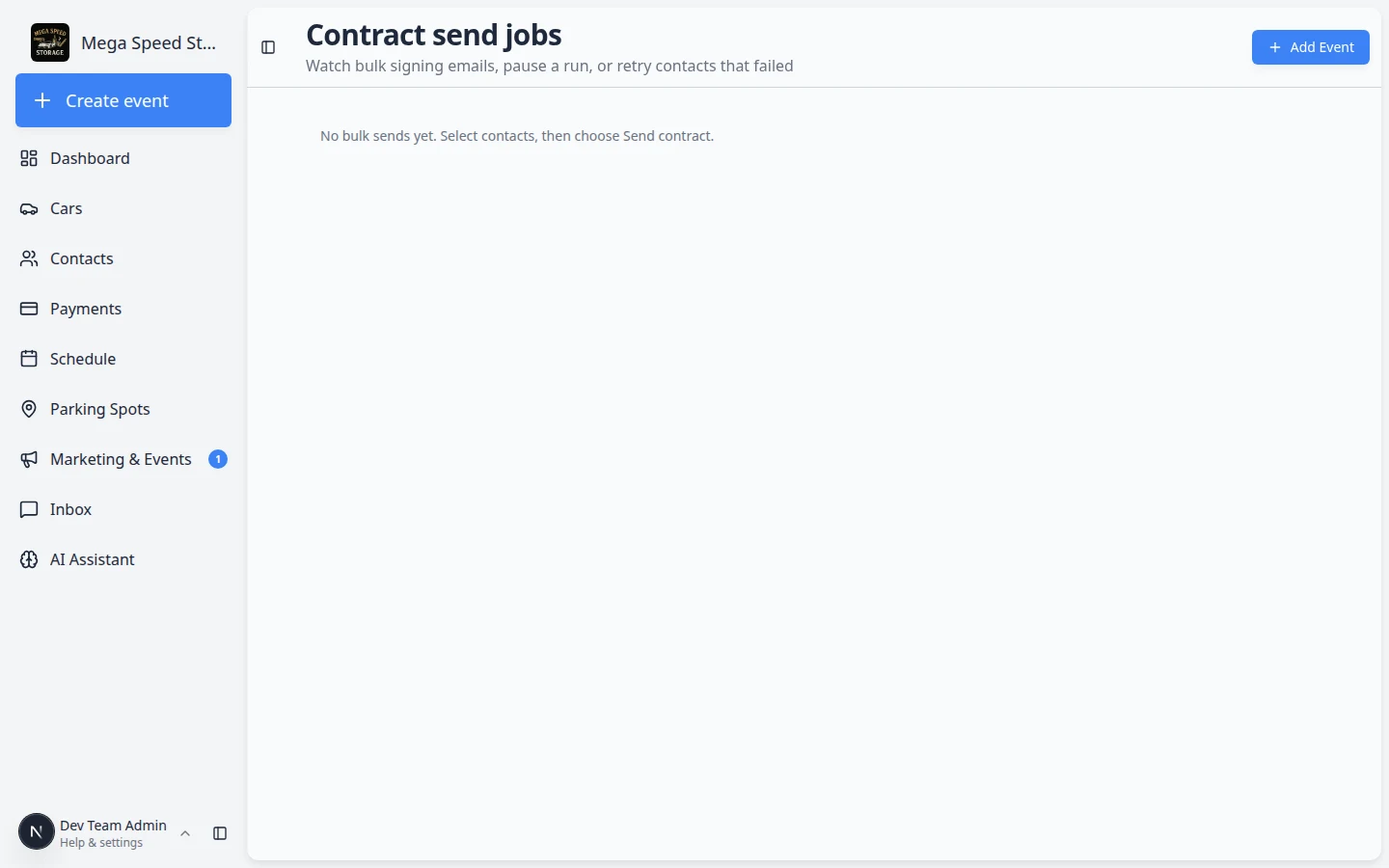
Bulk contract sends can involve dozens or hundreds of customers. A confirmation step before anything goes out catches the wrong template or recipient set early. After that, the send runs as a job you can watch, pause, resume, and retry for failures—without blasting duplicate signing links to people who already received email. Operations keeps moving when the network hiccups or a few records need fixes.
Who it is for
- Office managers running the same storage agreement across a filtered contact list.
- Teams that start sends from Bulk contact actions and need reliable follow-through.
- Anyone who has been burned by double emails after retrying a stuck batch.
What you can do
- Review recipients and template in a wizard, then confirm before signing emails send.
- Track progress on the Bulk sends jobs page—see who succeeded, who failed, and why.
- Pause a running job when you need to fix data mid-batch, then resume when ready.
- Retry failed contacts without re-sending to customers who already got a link.
How it fits your day
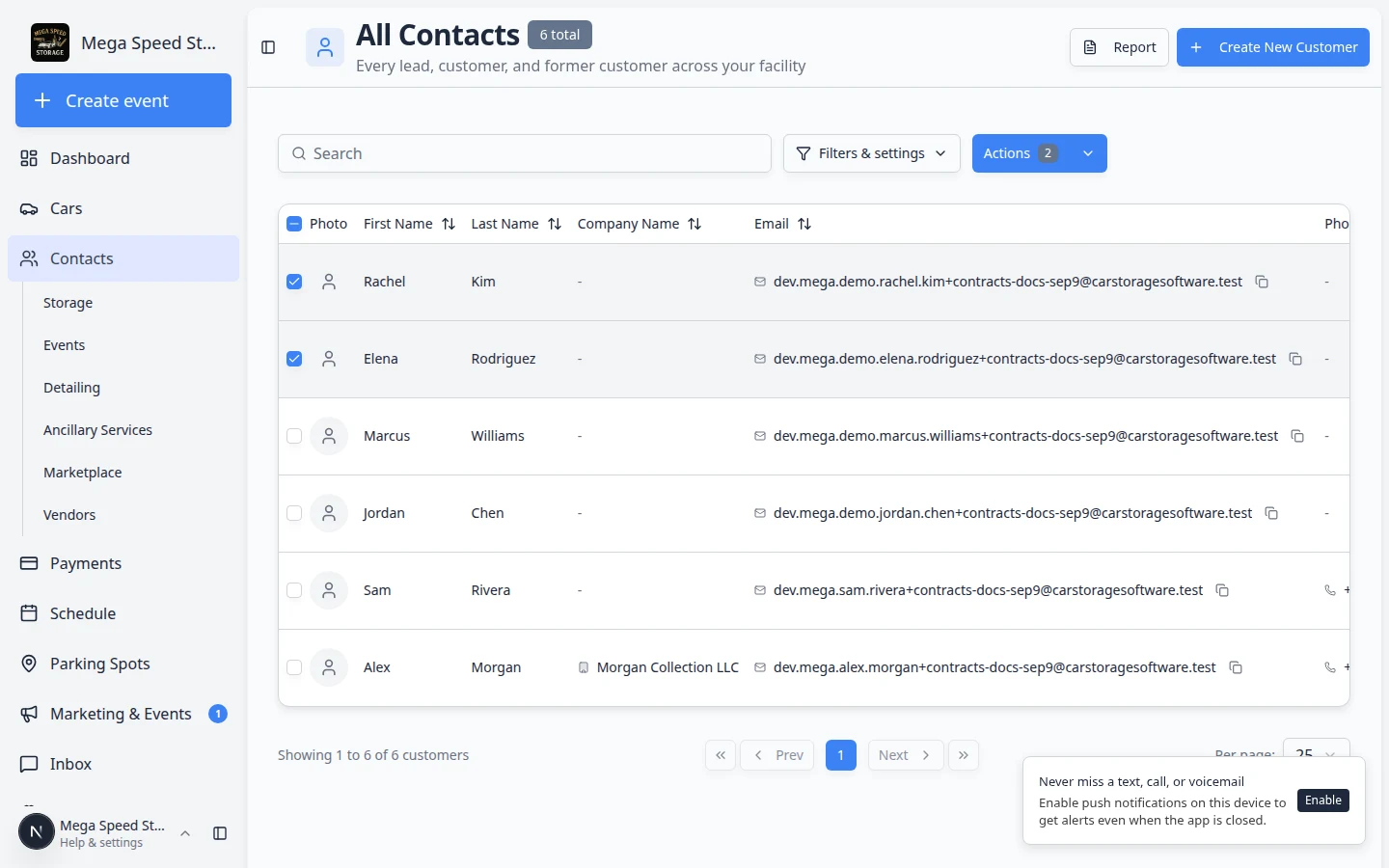
Start from All Contacts: select rows, Actions → Send contract, complete the wizard. When the job is running, open Bulk sends from Contracts to monitor it while staff handle other front-desk work.
Get started
Select customers and choose Send contract from the bulk Actions menu. After you confirm, bookmark Bulk sends for the rest of the batch.
For selecting contacts and changing CRM stages in one pass, see Bulk contact actions.
Questions about this update?
Book time with our team or browse the rest of the changelog.