Product update
Guided product setup
A step-by-step product wizard covers basics, charge type, pricing, marketplace visibility, inventory, and review before anything goes live.
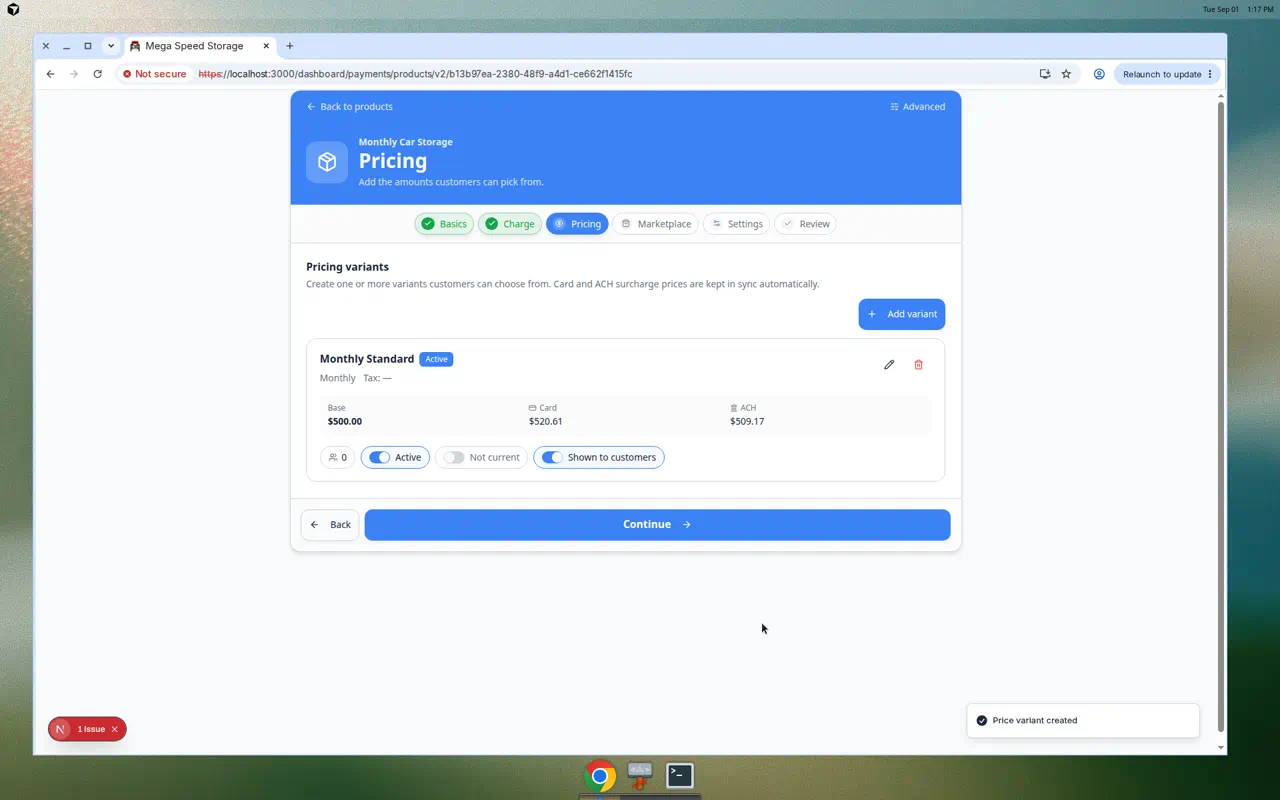
Storage, services, and marketplace SKUs should not depend on one overwhelming form.
Why we built it
Products & Services power invoices, recurring plans, and customer checkout—but one-time vs recurring, variants, tax, inventory, and who can buy online are easy to misconfigure in a single screen. Guided product setup walks staff through Basics → Charge → Pricing → Marketplace → Settings → Review so each decision happens in order: name and category, recurring vs one-time, price variants, public listing choices, inventory and add-ons, then a review pass before save.
Who it is for
- Billing and ops admins creating catalog items on Products & Services.
- Teams launching Facility marketplace checkout who need visibility and pricing right the first time.
- Anyone onboarding pricing per Manage products and services.
What you can do
- Enter Basics—name, description, CRM category, and product identity.
- Pick Charge type (recurring subscription vs one-time, including statement billing when enabled).
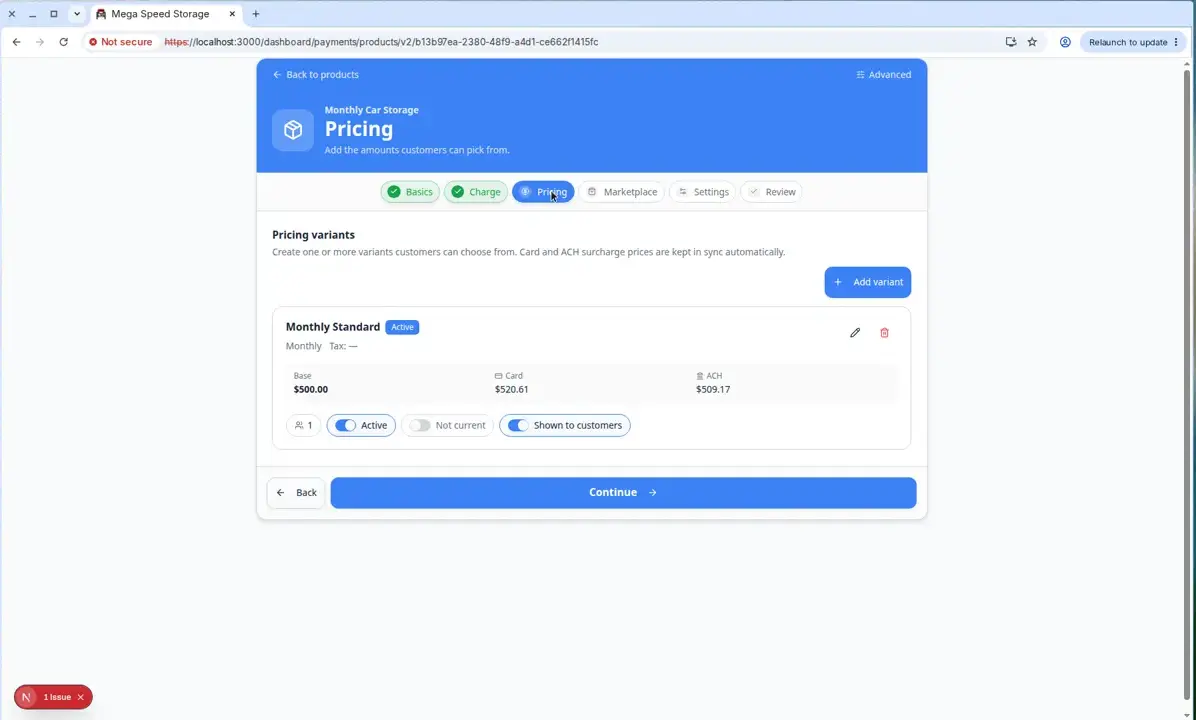
- Build Pricing variants with amounts, billing intervals, and tax behavior.
- Configure Marketplace visibility and customer-facing presentation.
- Set Settings—inventory limits, add-ons, vendor links, and accounting class when connected.
- Confirm on Review, then jump back to any step without losing context.
How it fits your day
Use the wizard for new products; switch to classic editor from the toggle when you only need a quick text tweak on an existing row. Recurring storage products still need at least one active variant before Add recurring works.
Get started
From Products & Services, start Add product, complete each wizard step on a test SKU, and finish on Review before enabling marketplace visibility.
Questions about this update?
Book time with our team or browse the rest of the changelog.