

The customer portal
The portal is where customers look after their cars without calling you. It carries your logo, colors, and name, and each customer sees only their own records.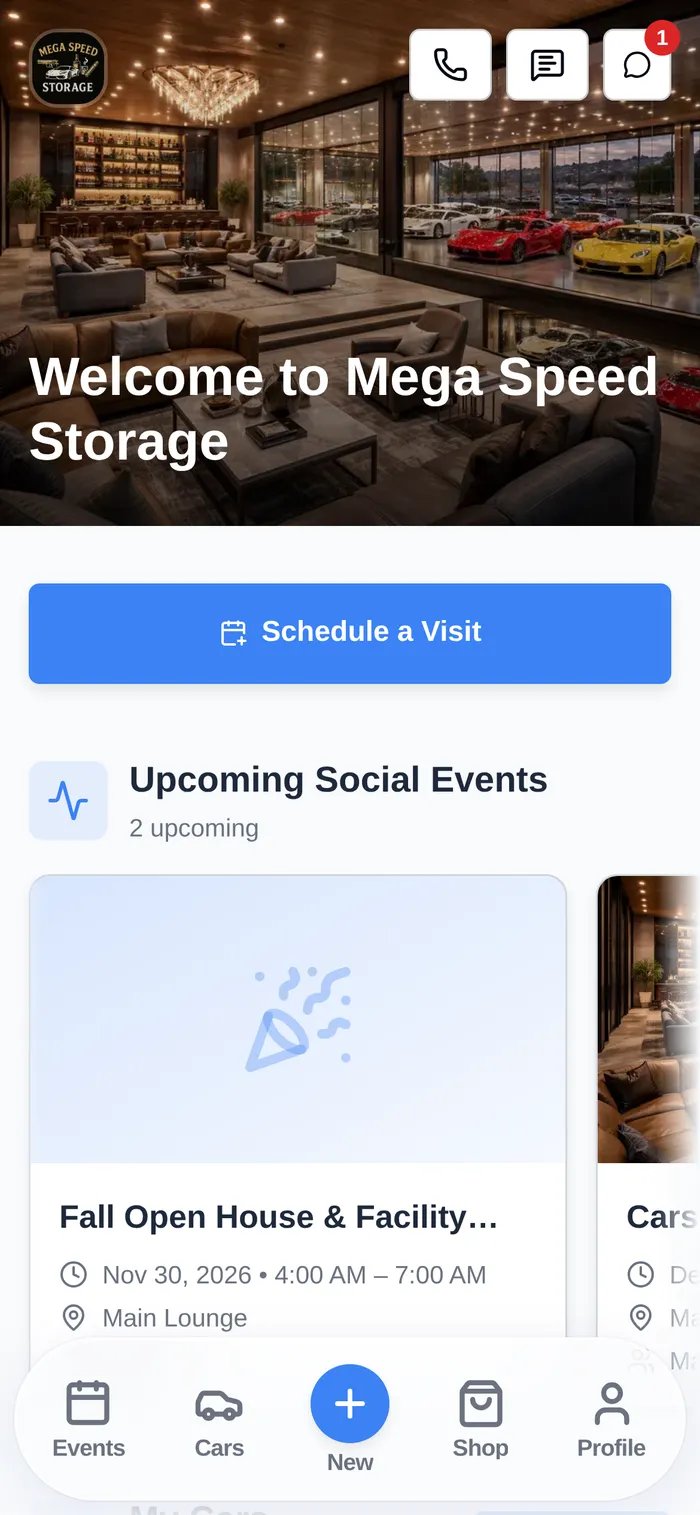
- See their cars, photos, and condition reports from every drop-off.
- Book events such as a pick-up or detail, and see upcoming and past events.
- Sign contracts and upload documents such as insurance and registration.
- Pay invoices, accept quotes, see their recurring plans, and save a card or bank account.
- Buy products from your shop, and browse and RSVP to social events.
- Call, text, or message your team, and join community channels.
- Add their own cars.
Key terms
- Portal home — The customer’s first screen. You choose its blocks and the bottom bar (by default Events, Cars, New, Shop, Profile) in Settings → Website & customer app.
- Portal access — Whether someone can sign in. The customer gets it when you invite them or approve their registration. Additional contacts only get it if you turn it on for them.
- Registration — A public sign-up page where new customers request an account. You can approve requests before they get in.
- Customer onboarding — The steps a new customer completes after first sign-in: required contracts, documents, and a payment method.
- Branded customer app — Your facility’s own iPhone app in the App Store, with your name and icon. It opens the portal.
Staff apps
On a phone, the dashboard swaps the sidebar for a bottom navigation bar.
How the portal connects to everything else
Common setups
- Self-service pick-ups — Customers book Vehicle Pick Up in the portal. Staff approve the request and have the car ready.
- Paperless onboarding — New customers register, sign the storage agreement, upload insurance, and add a card before their first drop-off.
- Shared shop iPad — The staff iPad app, with a quick switch PIN for each porter.