

What you will accomplish
You will understand how the AI Assistant helps your staff find records, answer everyday operational questions, and prepare draft work—while your team stays in control of what gets saved. The AI Assistant is for staff using the dashboard. Customer portal users do not see it.Two names for the same toolThe left sidebar says AI Assistant, but the page header inside the tool says Agent. They are the same place—open AI Assistant from the sidebar.
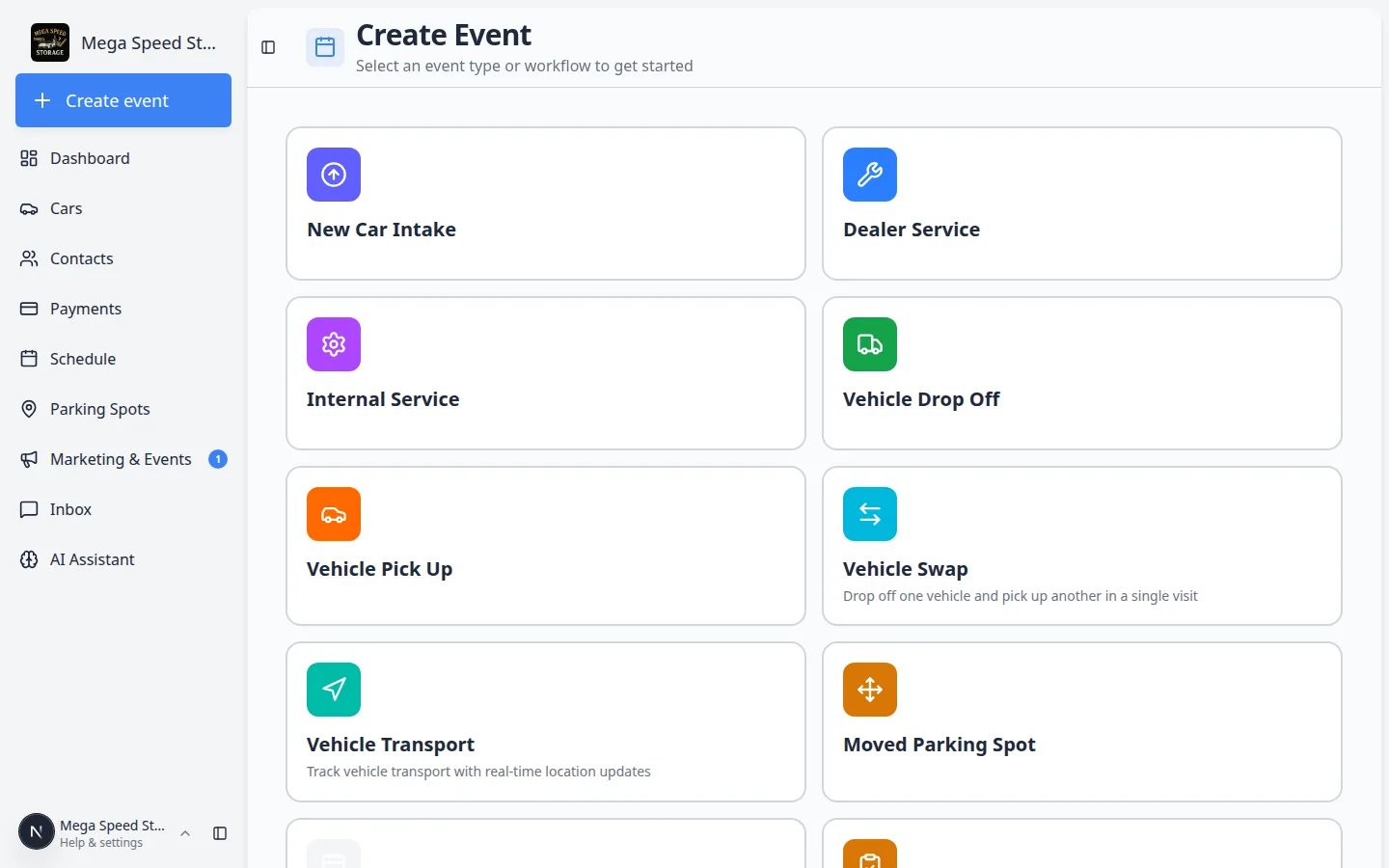
Who can see AI AssistantThe AI Assistant link appears in the dashboard sidebar only for staff whose role includes AI Assistant access. If you do not see it, ask a team admin to review permissions in Settings > Team.
Your first five minutes (quick start)
If you are brand new to the assistant, follow this short path once. It takes about five minutes and builds confidence before you use it on a live customer call.1
Open AI Assistant from the sidebar
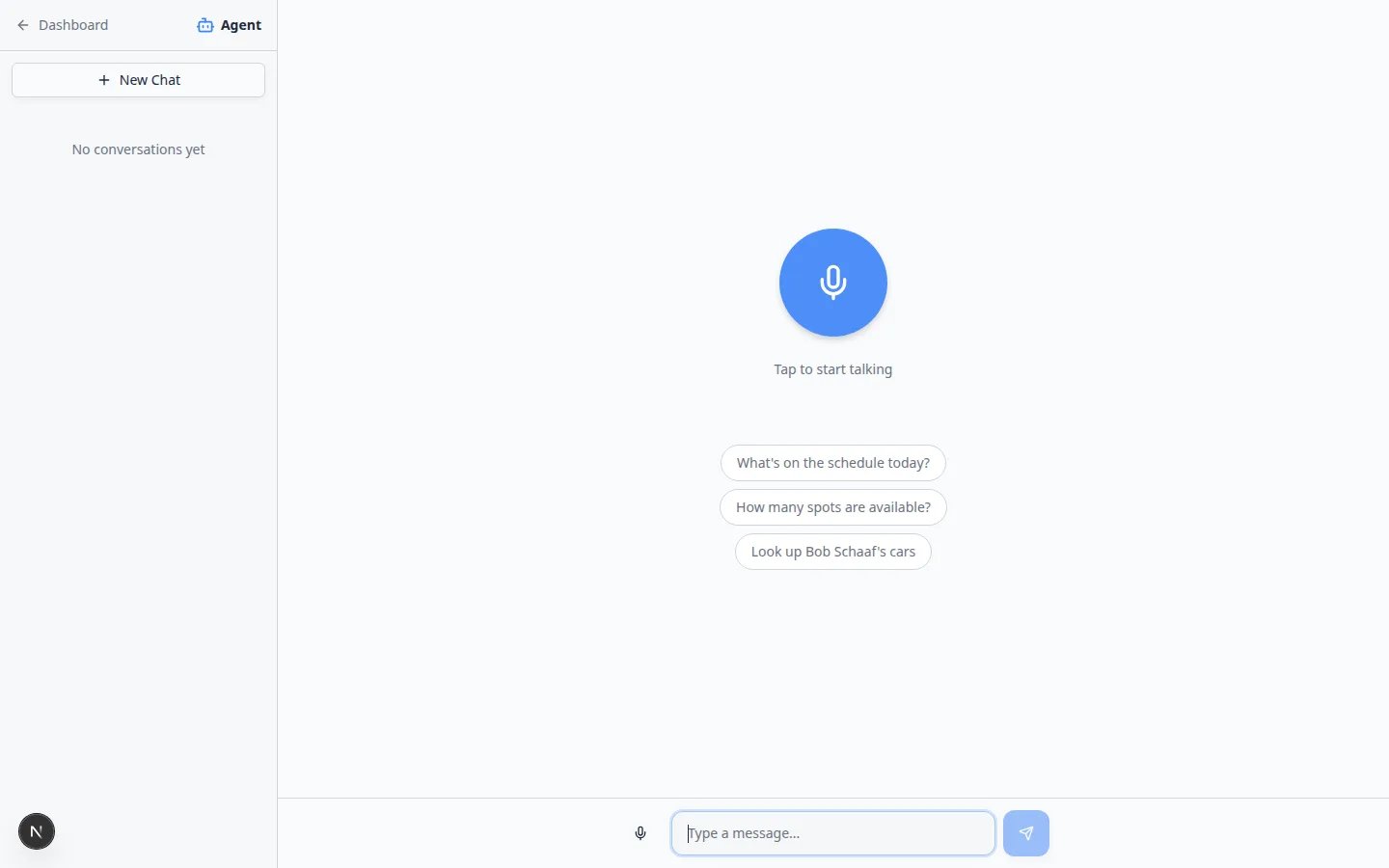
From Dashboard, click AI Assistant in the left sidebar (brain icon). The page title at the top may say Agent—that is the same tool.Expected result: You see the start screen with a round voice button, blue suggestion chips, and a Type a message… box at the bottom.
2
Try one lookup question
Tap a suggestion chip such as What’s on the schedule today? or type Look up Alex Morgan’s cars (use a real customer name from your Contacts list).Expected result: The assistant answers in the chat. Nothing is saved until you confirm proposal cards.
3
Start New Chat for the next person
Click New Chat in the left sidebar before you help a different customer.Why this matters: Each thread stays easy to read and the assistant is less likely to mix up names.
When to use the AI Assistant
Use it when you know what you need, but want a faster path to the answer or the right page. Good moments include:- A customer calls and you need their vehicles quickly.
- You want today’s schedule without opening every calendar filter.
- You need to know how many parking spots are open or where a car is parked.
- You want to draft a new customer, car, and appointment from one spoken or typed request.
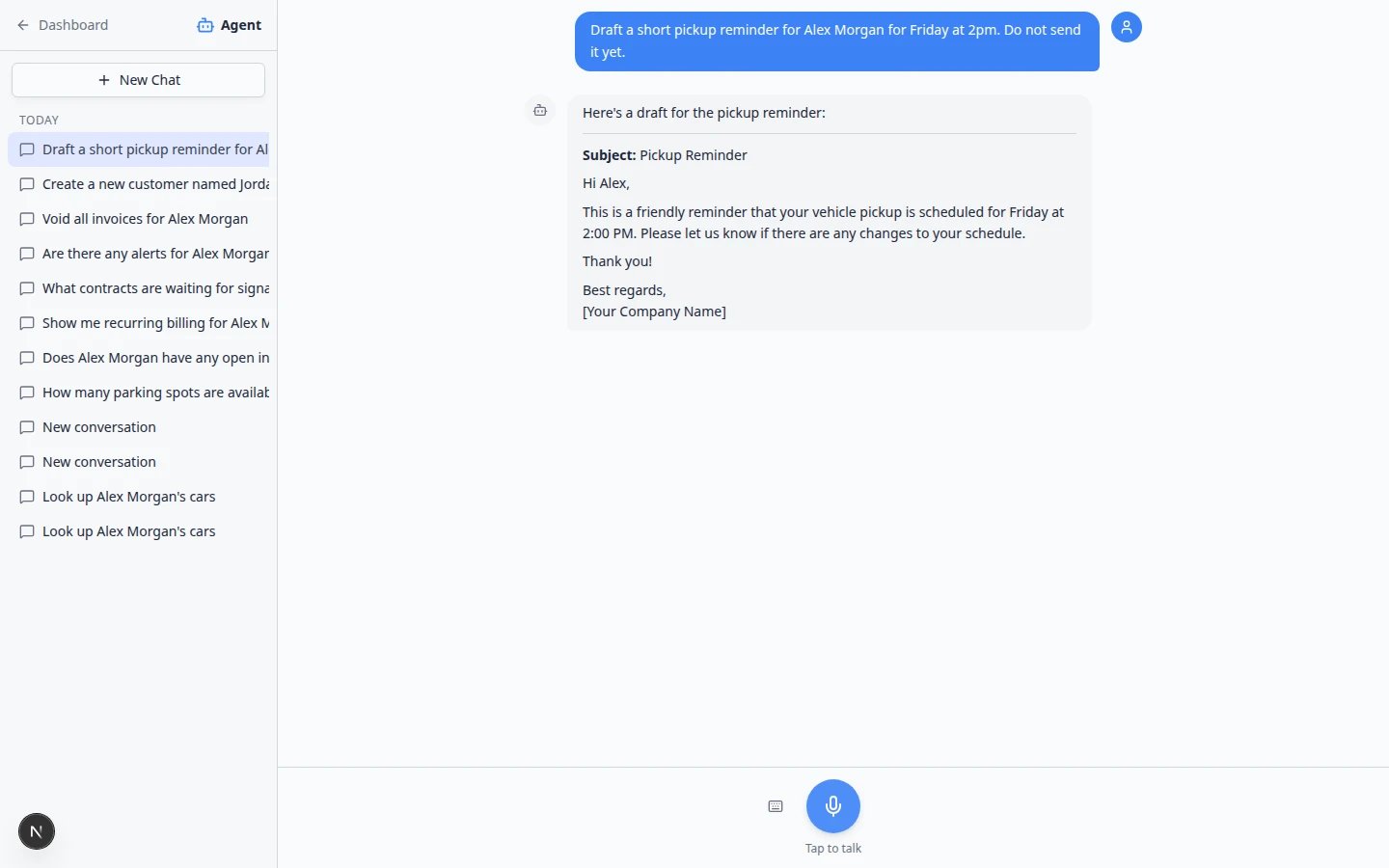
- You want help wording a text or email before you send it from Inbox.
When to use the dashboard insteadUse the normal dashboard pages—not the assistant—for work that must be exact the first time: finalizing invoices, voiding contracts, changing payment methods, deleting records, or anything your manager must approve in writing. The assistant helps you find information and prepare drafts; you stay in control of what gets saved.
What the assistant can help with
- Look up records — customers, cars, appointments, parking spots, inbox threads, invoices, and quotes (based on your permissions).
- Answer operational questions — what is scheduled today, where a car is parked, or how many spots are free.
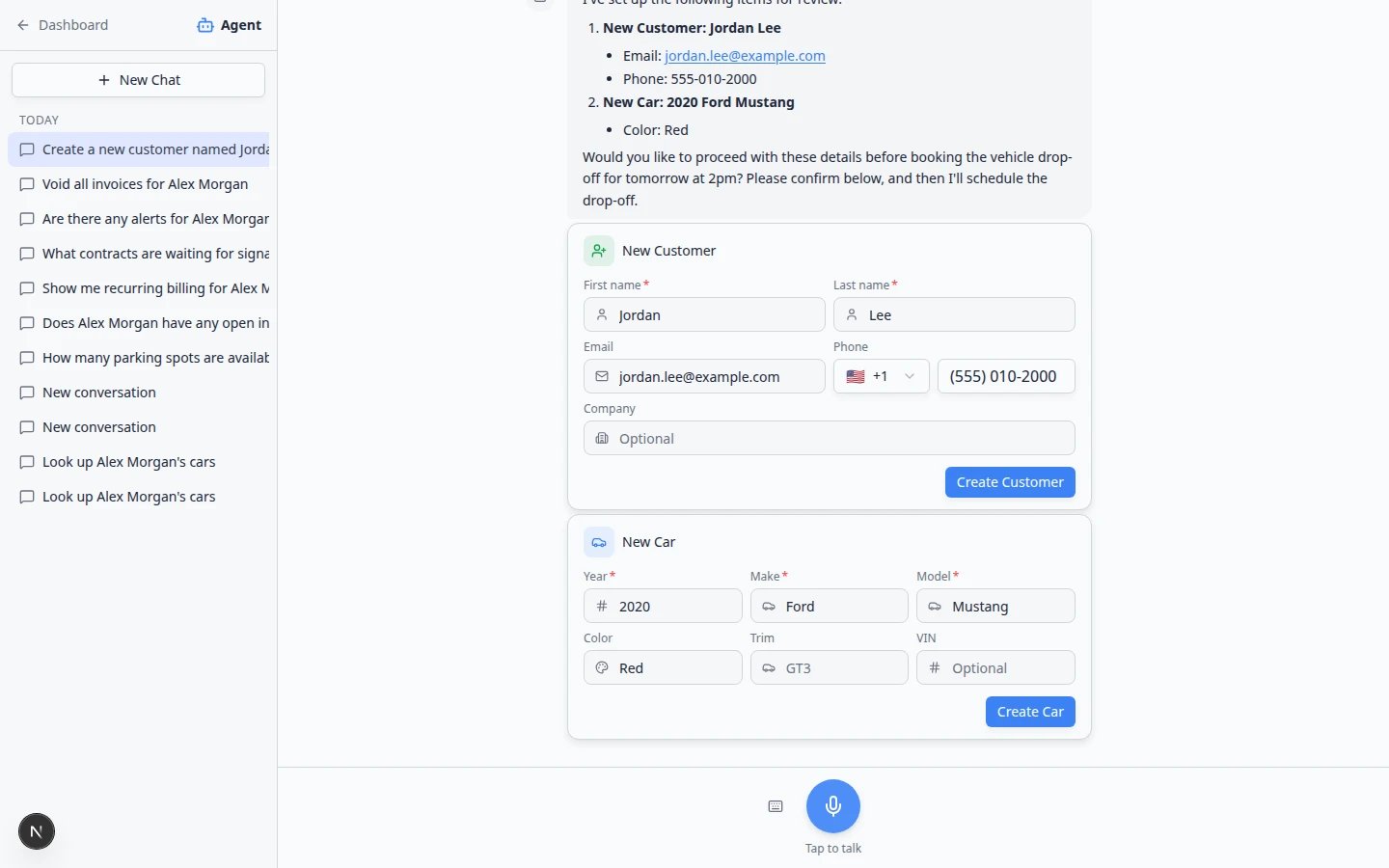
- Prepare draft work — new customers, cars, drop-offs, pickups, moves, events, and related notes shown as review cards.
- Open the right page — navigate to Cars, Contacts, Schedule, Parking Spots, Inbox, or Payments when you are ready.
- Draft messages — professional wording you can edit before sending from Inbox.
What the assistant does not replace
The assistant speeds up work. It does not replace your team’s judgment.Treat answers as drafts whenever they affect customers, vehicles, money, appointments, or outbound messages. If something looks wrong, stop and check the record in the dashboard.Use the normal pages—not the assistant—for sensitive work such as finalizing contracts, changing payment methods, or deleting important records.
How your team stays in control
1
Lookups show information only
Questions like “Look up Alex Morgan’s cars” display results for you to read. Nothing changes until you edit records yourself or confirm a proposal.
2
Changes use proposal cards
When the assistant prepares new customers, cars, or appointments, you see proposal cards and a Confirm All button. Review every card first. Read Review AI proposals before your first save.
3
Permissions still apply
Staff only see areas their role allows—such as Cars, Schedule, or Payments. If access is missing, the assistant will say so. A team admin can adjust access in Settings > Team.
4
Navigation is optional
Sometimes the assistant offers to open a dashboard page with Go now or Cancel. You choose whether to leave the chat. If you do nothing, the countdown may open the page automatically when it reaches zero—use Cancel if you only needed the answer on the phone.
5
Success cards open records
After you confirm proposal cards, green success cards (for example Casey Brooks created) may appear. Click a card to jump straight to that customer, car, or appointment in the dashboard.
Web assistant, iMessage, and Claude
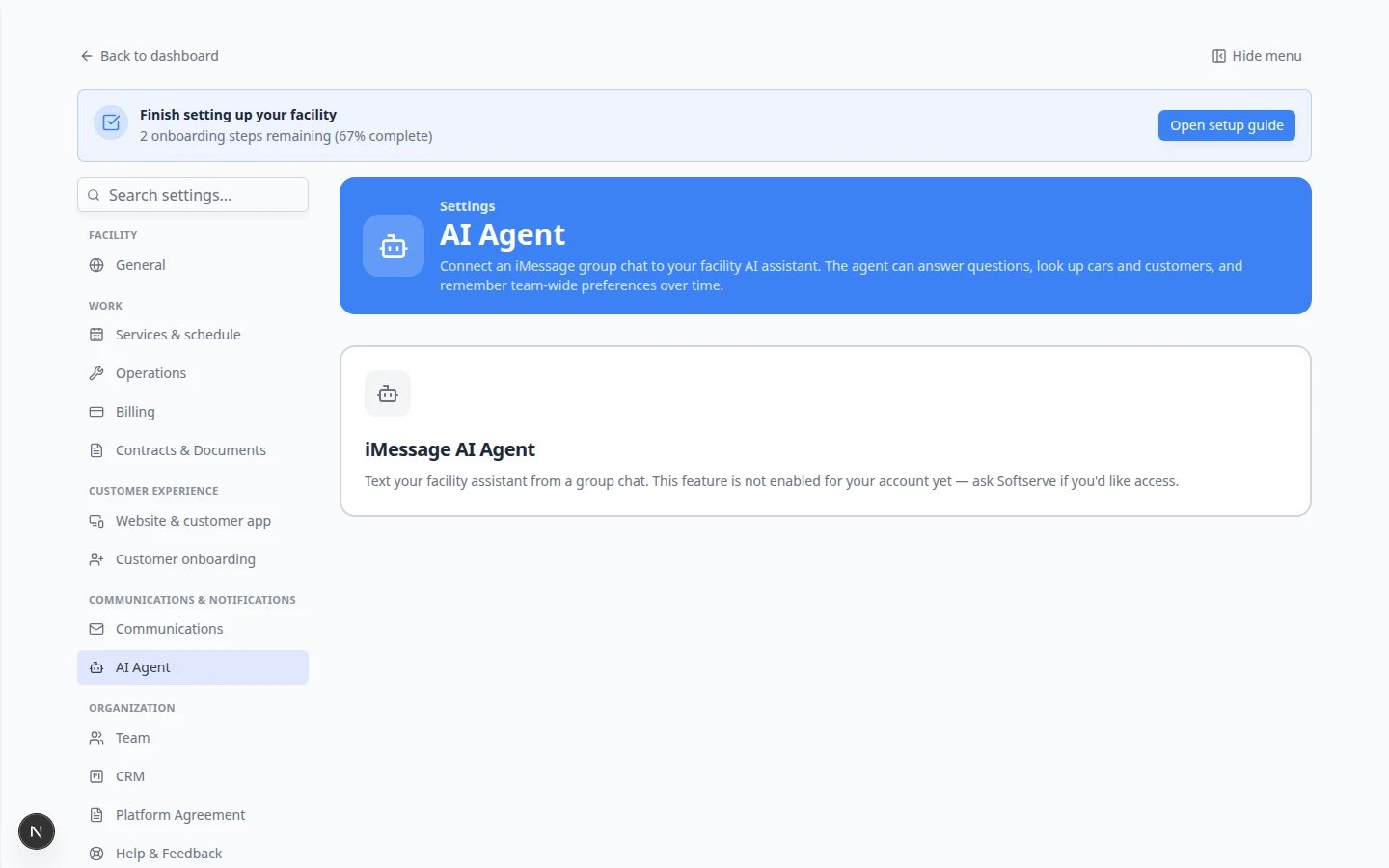
Your facility can use helpers in three places. They all read the same records.Web — AI Assistant — Full chat page with voice, Type instead, proposal cards, Confirm All, and optional Go now links to dashboard pages.iMessage — team group chat — Text questions from a phone. Replies are short messages. An admin connects the group in Settings > AI Agent. See Connect iMessage to the AI Assistant and Use the AI Assistant in iMessage.Claude (or Cursor) — A helper your team already uses outside the dashboard. An admin turns on AI agents (MCP) in Settings > Integrations, copies the Connector URL, and staff sign in when Claude asks. See Connect Claude to your facility.
Recommended learning path
Follow these guides in order the first time your team tries the assistant.1
Confirm who has access
Managers: read Who can use the AI Assistant so each role has the right permissions.
2
Learn the chat list
Start with Manage your assistant chats for New Chat, history, and deleting old threads.
3
Practice everyday questions
Use Use the AI Assistant and Ask about schedule, parking, and records for lookups such as “Look up Alex Morgan’s cars” or “What’s on the schedule today?”
4
Train for phone calls
Front-desk staff should read Use the assistant during a customer call.
5
Prepare draft work
When your team is ready to create records, follow Prepare work with the AI Assistant.
6
Review before saving
Always finish with Review AI proposals before you select Confirm All.
7
Practice billing and deadline lookups (managers)
When your role includes Payments, read Ask about billing, contracts, and alerts. Practice one invoice question, then open Payments to confirm the answer before you quote a customer.
8
Set up iMessage and memory (admins)
Connect a staff group chat with Connect iMessage to the AI Assistant, then add shared rules in Manage team memory for the AI Assistant.
9
Text the assistant from a phone (staff)
After an admin links your group chat, read Use the AI Assistant in iMessage for everyday questions from your iPhone.
10
Connect Claude if your team already chats there (admins)
If staff already use Claude (or Cursor) outside the dashboard, follow Connect Claude to your facility. An admin turns on AI agents (MCP) in Settings > Integrations. Staff then sign in when Claude asks.
- Who can use the AI Assistant — permissions and manager setup.
- Manage your assistant chats — New Chat, chat history, and deleting old threads.
- Use the AI Assistant — voice and typing, clear questions, and follow-ups.
- Fix voice and microphone problems — use Type instead when voice is blocked.
- Use the assistant during a customer call — lookups while someone is on the phone.
- Ask about schedule, parking, and records — today’s work, parking, and customer or vehicle lookups.
- From AI draft to customer message — draft in the assistant, send from Inbox.
- Prepare work with the AI Assistant — multi-step requests that create proposal cards.
- When the assistant cannot help — errors, limits, and safe fallbacks.
- Review AI proposals — checklist before Confirm All.
- Connect iMessage to the AI Assistant — link a team group chat (admins).
- Ask about billing, contracts, and alerts — invoice and deadline lookups (verify in Payments).
- Use the AI Assistant in iMessage — ask questions from a staff group chat on your phone.
- Manage team memory for the AI Assistant — shared facts for web and iMessage.
- Connect Claude to your facility — let Claude look up the same records after a staff sign-in.
Voice or keyboard?
On the start screen, the text box at the bottom is always available—type there when you need exact spelling for names, email addresses, or VINs. Tap the large microphone when voice is faster (for example “What’s on the schedule today?”). Inside an active chat, click the small keyboard icon if the screen is in voice mode. The tooltip says Type instead. Click it again (or use Switch to voice) to go back to the microphone.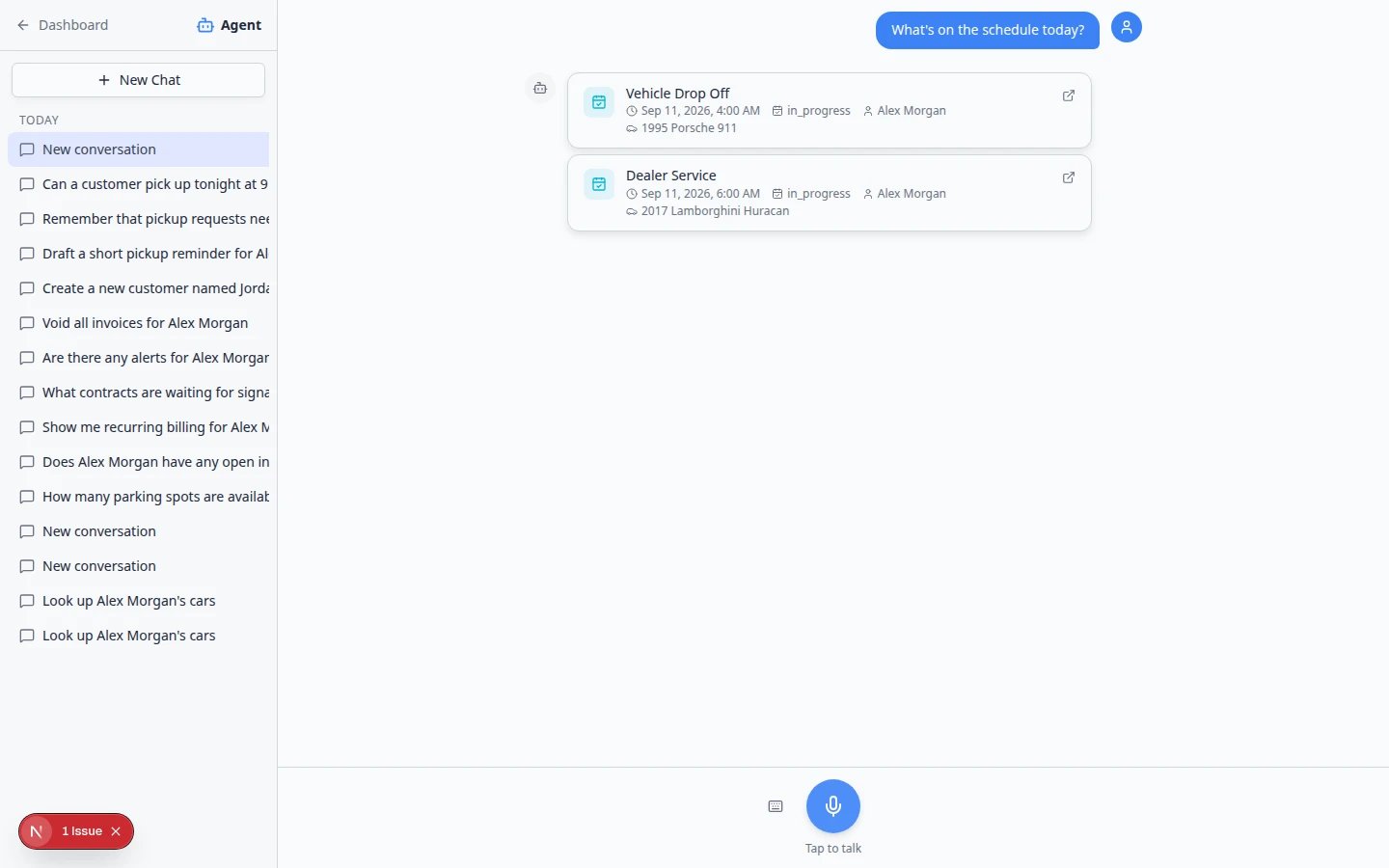
Important words in plain English
Chat means one conversation thread with the assistant.Proposal or proposal card means a draft the assistant prepared for you to review before saving.Confirm All saves every prepared card in that group at once—only use it after you check each card.Lookup means searching existing records without creating new ones.New Chat starts a fresh thread so the assistant does not mix up two different customers.Claude (or Cursor) is an outside helper. An admin connects it with the AI agents (MCP) card and a Connector URL. That is not the same page as AI Assistant in the sidebar.
Who should read which guide
Front desk and phone staff — start with Use the AI Assistant and Ask about schedule, parking, and records.Anyone creating new customers, cars, or appointments — read Prepare work with the AI Assistant and always finish with Review AI proposals.Managers training the team — share Manage your assistant chats so each customer gets a fresh New Chat thread.Admins connecting Claude — follow Connect Claude to your facility so staff who already use Claude can look up the same records there.
Quick links by job
Your first phone call with the assistant
Many front-desk staff open the assistant while a customer is on hold. This short path works well the first time:1
Open AI Assistant and start New Chat
Click AI Assistant in the sidebar, then New Chat so the thread is only about this caller.Expected result: You see the start screen with suggested questions and Type a message… at the bottom.
2
Ask one lookup question
Type in Type a message… and ask something specific. Examples:
- Look up Alex Morgan’s cars
- I have Alex Morgan on the phone. What cars are stored and what’s scheduled this week?
3
4
Start New Chat for the next caller
When the next customer calls about a different person, click New Chat again.Why this matters: Mixing two customers in one thread is the most common mistake new users make.
Related dashboard areas
After you are comfortable with the assistant, these sections work hand-in-hand with it:- Cars for vehicle records and activity
- Contacts for customers and leads
- Schedule for appointments and team planning
- Parking Spots for floor plans and assignments
- Inbox for customer messages
- Settings > Team for who can access each area (including AI Assistant)
- Settings > AI Agent for iMessage linking and team memory
- Settings > Integrations for connecting Claude or Cursor — see Connect Claude to your facility
Troubleshooting
Common mistakes to avoid
- Do not ask about a second customer in the same chat—click New Chat when the topic changes.
- Do not assume the assistant sent a message to a customer—sending always happens in Inbox.
- Do not trust invoice totals or contract details from the assistant alone—open Payments or the record page to verify.
- Do not skip the keyboard for exact spelling—type in Type a message… for names, email addresses, and VINs.
What success looks like
- Staff can open AI Assistant and complete a record lookup on the first try.
- Proposal cards are reviewed before Confirm All is used.
- Each new topic starts with New Chat so conversations stay easy to follow.
- Your team knows when to use the dashboard directly for sensitive billing or contract work.