

On a phone, Report is an icon at the top of each page.
Invoice report
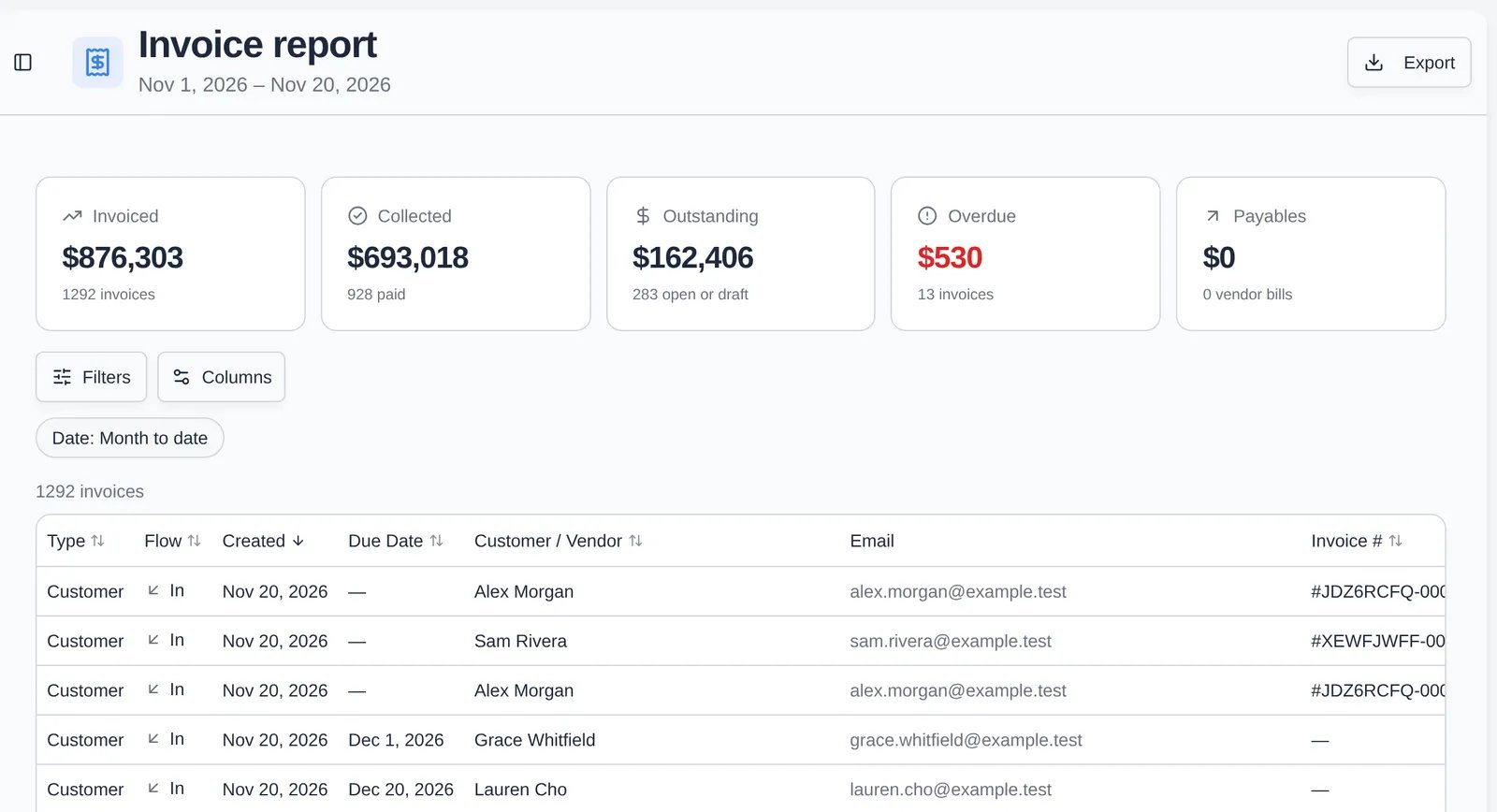
- Totals: Invoiced, Collected, Outstanding (open or draft), Overdue, and Payables (vendor bills).
- Filters: Date (Month to date, This month, Last month, Next month, Last 3 months, Year to date) and Status (All, Paid, Unpaid).
- Columns: customer and vendor invoices with line items, subtotal, tax, processing fee split into customer and facility fees, total, amount paid and due, status, payment method, and paid date. Use Columns to hide what you don’t need.
- Export downloads the report as an Excel file.
Recurring revenue report (rent roll)
- Totals: MRR (monthly recurring revenue from active plans), Anticipated, Collected, and Occupancy.
- Cash / Accrual switch at the top:
- Cash counts each invoice in the period it’s billed. Anticipated reads “Billed in range”.
- Accrual spreads quarterly and yearly plans across the months they cover. Anticipated reads “Earned in range”. Use it for monthly revenue that matches your books.
- Rows: Per subscription, Per line item, or Per car. Per car is the classic rent roll: each vehicle with its plan, rate, and spot.
- Columns include customer, product, price tier, vehicle and parking spot, status, unit price, quantity, tax, processing fee, monthly and annual equivalents, start date, rate anniversary, VIN, plate, and payment method.
- Export downloads the report for the basis you picked.