

Voids, credit notes, and refunds can’t be undone.
Delete a draft
Choose Delete draft and confirm. Drafts that are waiting for the customer to choose how to pay can’t be deleted. Use Void invoice instead.Void an invoice
1
Choose Void invoice
The dialog shows the invoice number and amount.
2
Add a reason (optional) and click Void invoice
The status changes to Void and the customer can no longer pay it.
Edit a finalized invoice
Stripe doesn’t allow changes to an open invoice, so the app replaces it.1
Choose Edit invoice
The dialog Edit finalized invoice? says which invoice will be voided.
2
Add a reason (optional) and click Confirm
The old invoice is voided and a new draft opens with the same lines. A banner says This draft replaces voided invoice and its number.
3
Make your changes and send it again
See Create an invoice.
Issue a credit note
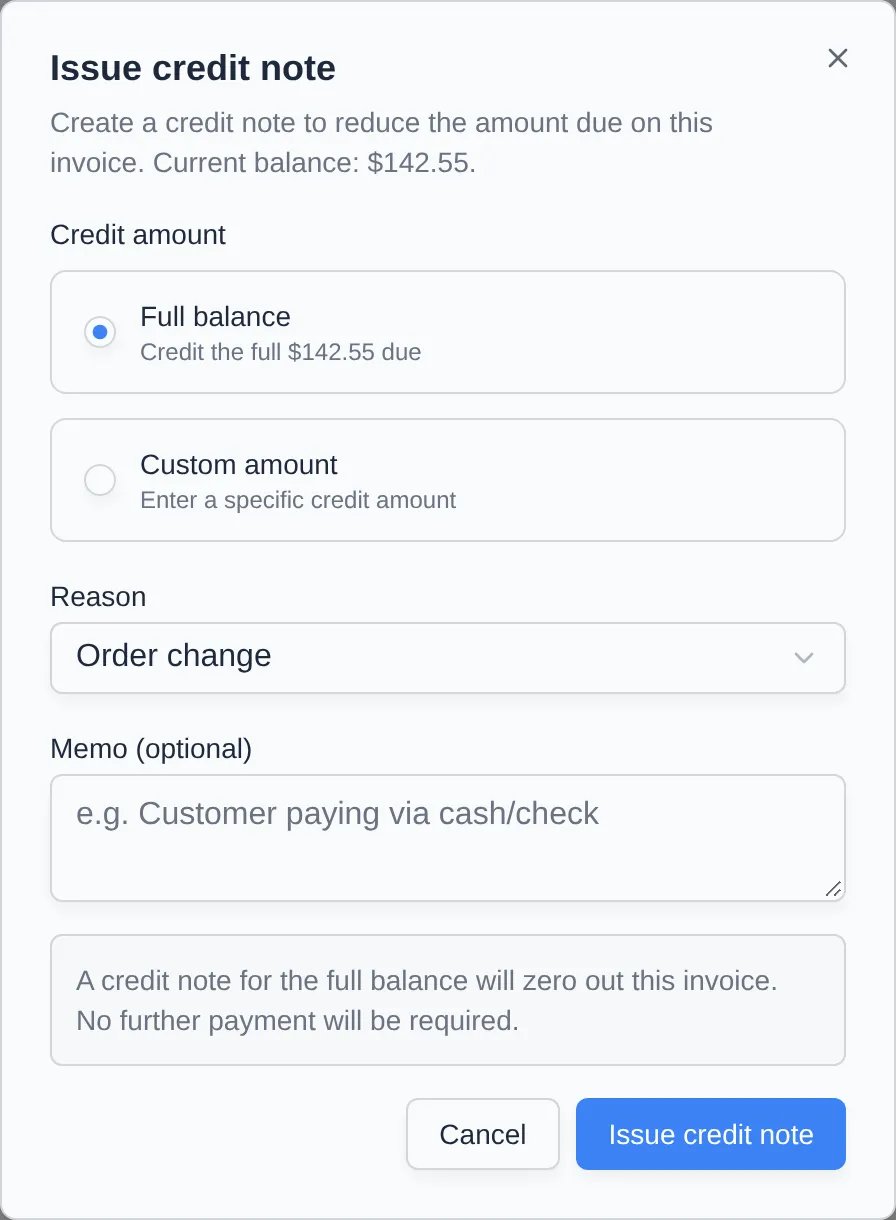
Use a credit note when the customer should owe less: a damaged-car discount, a duplicate line, or waiving the processing fee after the fact.1
Choose Issue credit note
It’s in Actions and on the Payment card of open invoices.
2
Choose the amount
Full balance zeroes out the invoice. Custom amount takes a specific amount. Processing fees only appears when the invoice has a fee line.
3
Pick a reason and click Issue credit note
Reasons are Order change, Product unsatisfactory, Duplicate, and Fraudulent. Add a Memo if you like. The amount due drops, and a Credit notes table appears on the invoice.
Refund a payment
Refund appears on paid invoices that were paid by card or bank through Stripe.1
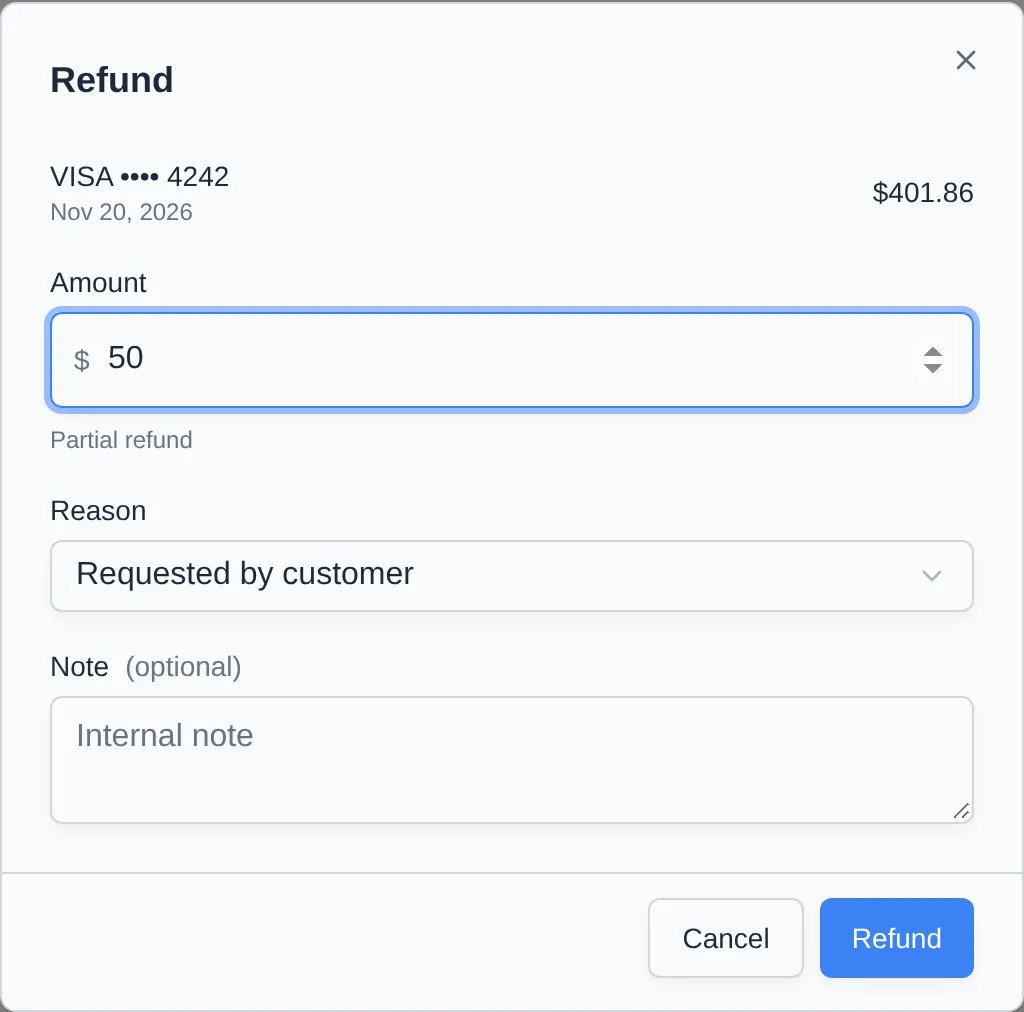
Choose Refund
It’s in Actions and on the Payment card.
2
Enter the amount
The full amount is filled in. Type less for a partial refund. The label changes between Full refund and Partial refund as you type. If the invoice had more than one payment, pick it under Payment to refund.
3
Pick a reason and click Refund
Reasons are Requested by customer, Duplicate charge, Fraudulent charge, and Other. Add an internal Note if you like.
4
Click Issue refund to confirm
The money goes back to the original card or bank account and usually shows on their statement in 5–10 business days. The invoice shows Refunded or Partly refunded.
Void or delete many at once
On the invoice list, tick the invoices and choose Bulk actions → Void / delete invoices. Open invoices are voided, drafts are deleted, and paid ones are skipped. See Collect a payment.Troubleshooting
- “More than the $… left to refund.” Part of the payment was already refunded. Enter the remaining amount or less.
- Refund is missing on a paid invoice. It was paid by cash, check, or Manual ACH, or it was already fully refunded.
- The invoice was synced to QuickBooks or Xero. Voids and refunds sync to both. Credit notes sync to QuickBooks only. See how accounting sync works.