

What you will accomplish
You will buy a ready-made agreement from the template store, download the unmarked PDF, and turn it into a contract template your team can send for signature. This is the fastest way to start if you do not already have a lawyer-reviewed PDF on your computer.When to use this guide
Use this guide when you want a starting agreement without writing one from scratch.- You are opening a new facility and need a first storage agreement.
- You run a car club or social membership and need a membership agreement.
- You want to preview a DRAFT copy for free before you pay.
Before you start
- You can open Settings > Contracts & Documents.
- You can manage Settings for your team.
- Your facility has a card on the platform subscription. The store charges that card one time. If you see Add a card on your platform subscription before purchasing, add the card first, then come back.
Step 1: Open Contracts & Documents
1
Open Settings
In the left sidebar, click Settings.
2
Open Contracts & Documents
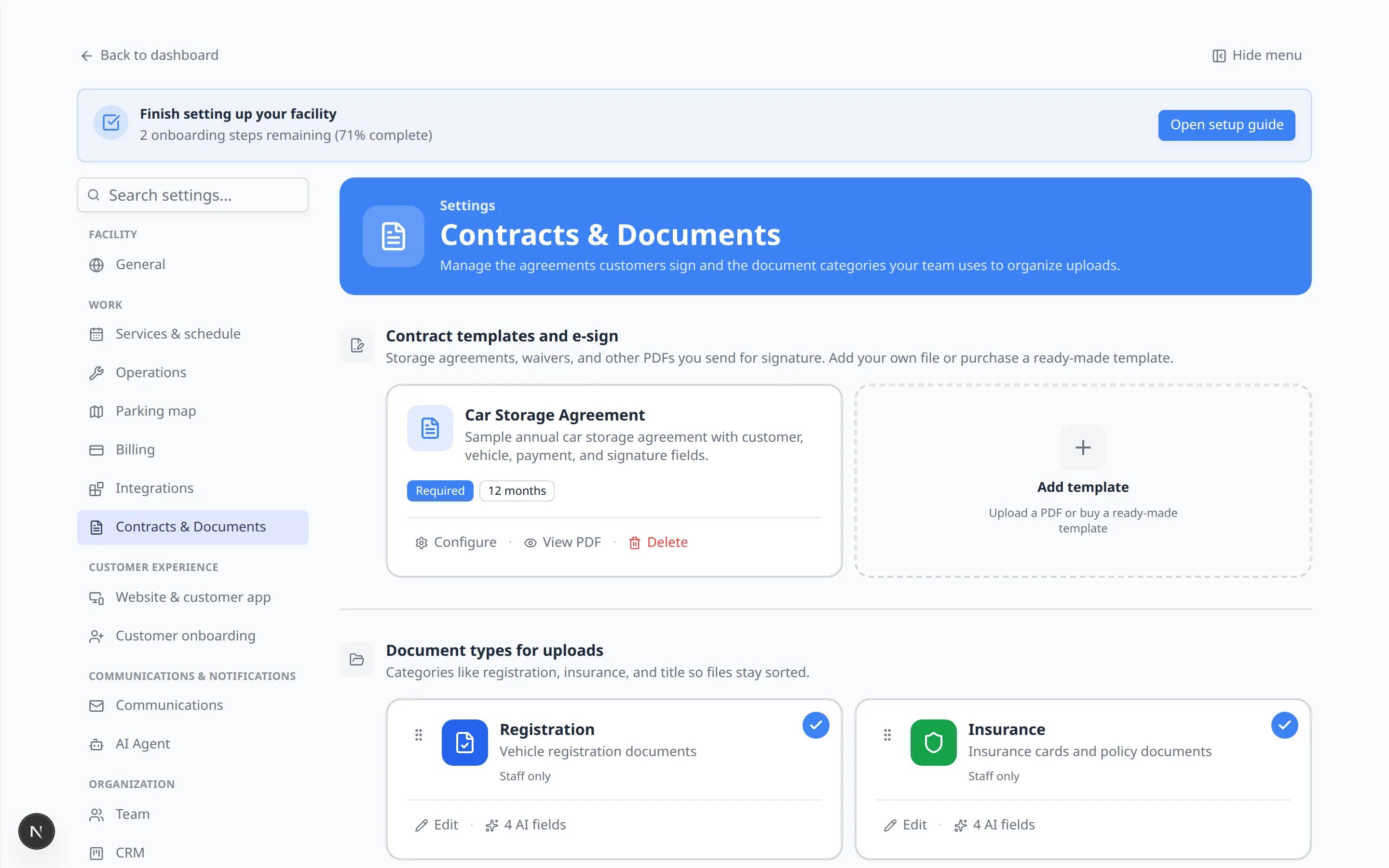
Go to Settings > Contracts & Documents.At the top you will see Contract templates and e-sign. That is the list of agreements customers sign.
Step 2: Open the create window
1
Click Add template
Click the dashed Add template card. The helper text on the card says Upload a PDF or buy a ready-made template.Why this matters: One window covers both paths. You do not need a separate store page.
Step 3: Browse the template store
1
Click Purchase a template
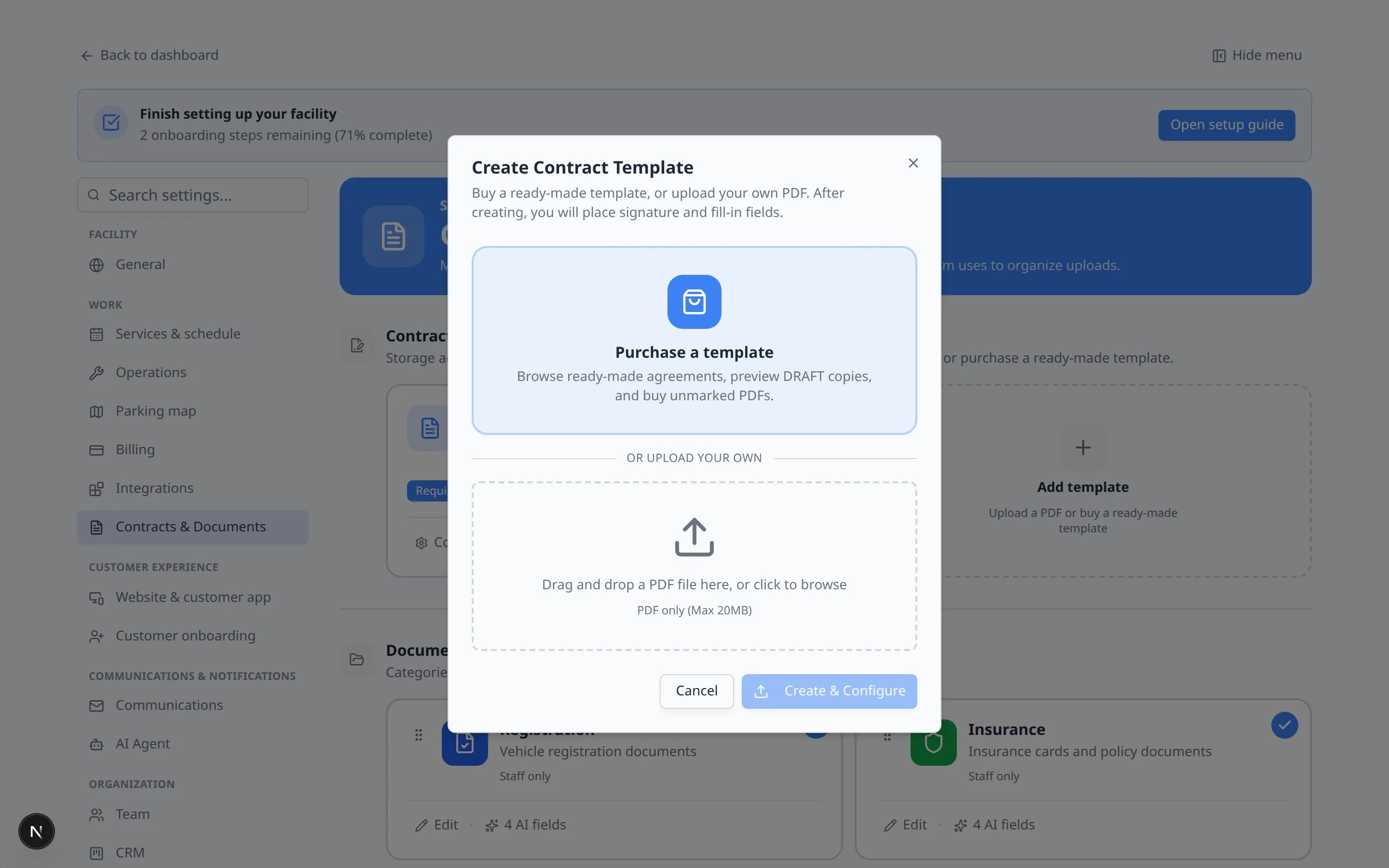
Click Purchase a template. The helper text says you can browse ready-made agreements, preview DRAFT copies, and buy unmarked PDFs.
2
Read the two current listings
The window title changes to Template store. Today you will usually see:
- Vehicle Storage Agreement Template — $249. A fill-in storage agreement you can adapt for your facility.
- Social Membership Agreement Template — $249. A fill-in social / car-club membership agreement covering dues, house rules, guests, and liability.
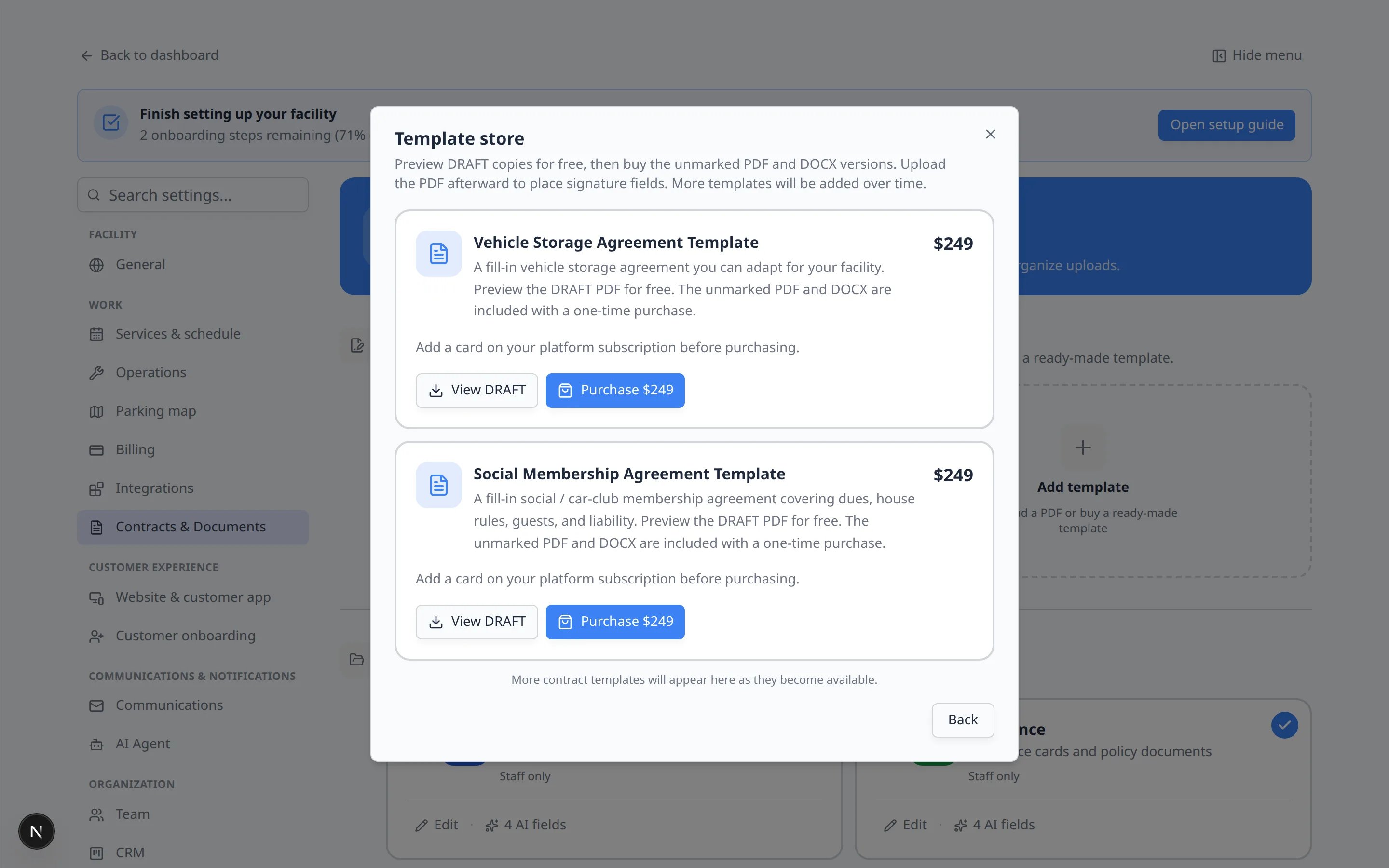
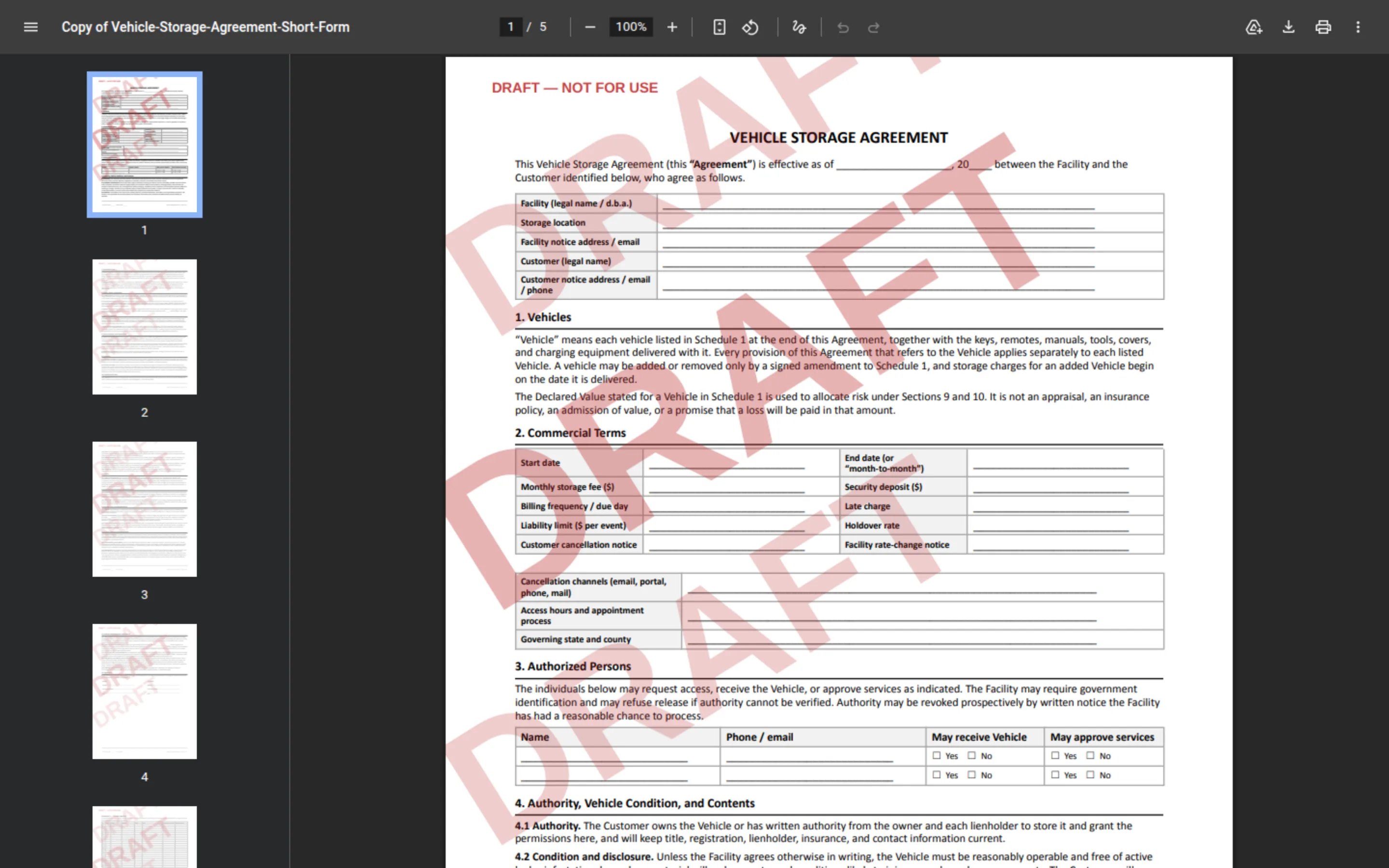
DRAFT means a watermarked sample you can read before you pay. It is marked DRAFT — NOT FOR USE so you do not send it to customers by mistake.Unmarked means the clean PDF and Word file you receive after you pay. Upload the PDF to create your working template.
Step 4: Preview the DRAFT for free
1
Click View DRAFT
Click View DRAFT on the agreement you are considering.The DRAFT PDF opens in a new browser tab. Read the sections that matter to your facility—fees, liability, keys, and who may pick up a car.
Step 5: Purchase the unmarked files
1
Click Purchase $249
Back in the Template store window, click Purchase $249 on the listing you want.
2
Read the charge
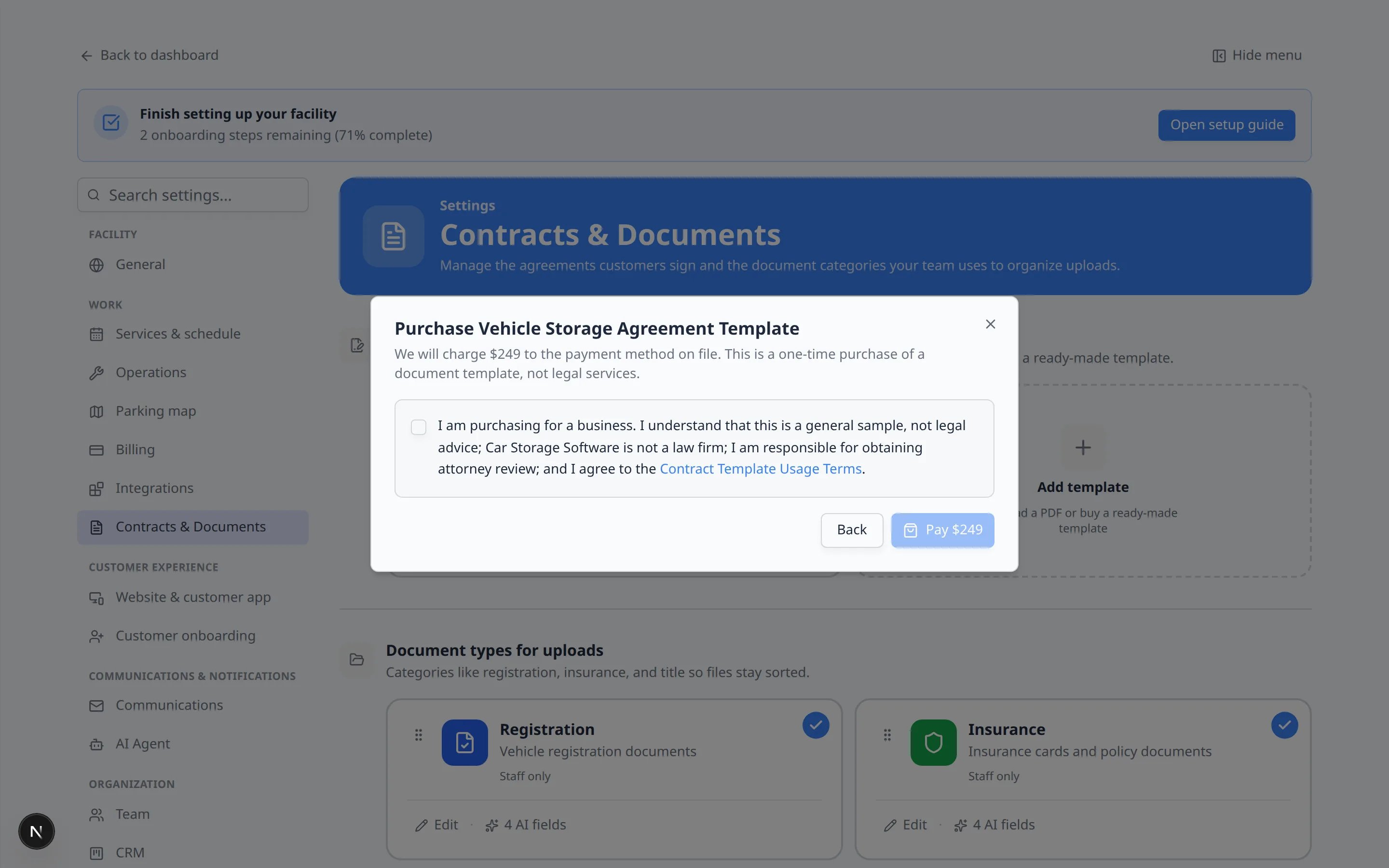
The window title changes to Purchase Vehicle Storage Agreement Template (or the membership title).The text explains that this is a one-time purchase of a document template, not legal services, and that the charge goes to the payment method on file.
3
Agree to the terms
Check the box that starts with I am purchasing for a business. It also links to Contract Template Usage Terms.You cannot click Pay $249 until this box is checked.
4
Click Pay $249
Click Pay $249.When the purchase works, the listing shows a Purchased badge and buttons for Download PDF and Download DOCX.
Step 6: Upload the unmarked PDF as your template
Buying the file does not create a sendable template by itself. You still upload the PDF and place signature boxes.1
Download the unmarked PDF
In the store, click Download PDF.
2
Return to the create window
Click Back until you see Create Contract Template again, or close the window and click Add template.
3
Upload the unmarked PDF
Under or upload your own, click Drag and drop a PDF file here, or click to browse. Choose the unmarked PDF you just downloaded.Why this matters: The app names the template from the file name. You can rename it later in the editor if you want a shorter staff name, such as Car Storage Agreement.
4
Click Create & Configure
Click Create & Configure.
What success looks like
- You previewed the DRAFT and decided the agreement is the right type.
- You purchased the unmarked PDF and Word file.
- The unmarked PDF is uploaded in Settings > Contracts & Documents.
- An attorney has a copy of the Word file if your facility needs a legal review before go-live.
Troubleshooting
What to do next
1
Place signature and vehicle fields
Follow Create a contract template to put name, vehicle, and signature boxes on the PDF.
2
Let customers book a drop-off while they sign (optional)
If you want the signing page to include a booking step, follow Schedule a service while signing a contract.
3
Send a test
Send the agreement to a test customer with Send a contract for signature.